 BSVKey
Inscribe data, host pages, and register names permanently on the BSV blockchain. 100% in your browser — your key never leaves this tab, and there's no server.
1 · Network & wallet
Pick a network, then set up a wallet using either option below — a single key or a recovery phrase. You can switch between them anytime.
🚰 On Testnet? Get free practice coins at bsvfaucet.com.
★ Your wallet — assets & activity
A plain-English view of what this wallet owns, and what you've done this session. On-chain actions land in a block roughly every ~10 minutes — until then they won't appear in History (§5), so track pending ones here.
2 · Data to write required
The message or file to place on-chain. Type/paste text, or attach a file.
3 · Write it on-chain
You'll see the exact fee and get to confirm before anything is broadcast. A 1,000-sat service fee is included on mainnet writes to support this tool.
Leave blank to just inscribe the data. Fill in to also attach your message to a payment.
Only used if you entered a recipient above. Defaults to 1 sat.
Higher = confirms faster. Defaults to 1 (a safe minimum).
4 · Withdraw / send balance
Send an amount from this wallet to another address — or click Max to empty it entirely (minus fee). A specific amount returns the change to this wallet.
Enter an amount, or click Max to send the entire balance (minus fee).
Total sent = coins × per-coin, plus a small miner fee. Any change returns to this wallet.
5 · Transaction history
Past transactions for the current address, pulled live from the chain. Each links to the explorer. Note: a new transaction can take ~10 minutes (one block) to appear here — track pending ones live in the ★ dashboard near the top.
6 · Fix a stuck transaction
If a tx sits unconfirmed too long, its fee is likely too low. Rebroadcast re-sends it; Bump (CPFP) pays a high fee on its change output to drag it into a block.
7 · Read & share a message
Paste any transaction ID to read its on-chain message as plain text — then copy a shareable link so others can find it.
8 · On-chain feed
A live view of what's being inscribed on the BSV chain — scan a time window, post your own message, reply, quote, like & bookmark. Posts, replies and quotes are real on-chain writes (they cost sats). Likes & bookmarks are saved only in this browser, not on-chain.
9 · Get BSV
Need BSV to write with? Swap USDC/USDT → BSV straight to your address below — no account needed. Always send to a BSV address — never a BTC address.
10 · Claim a name CHOST
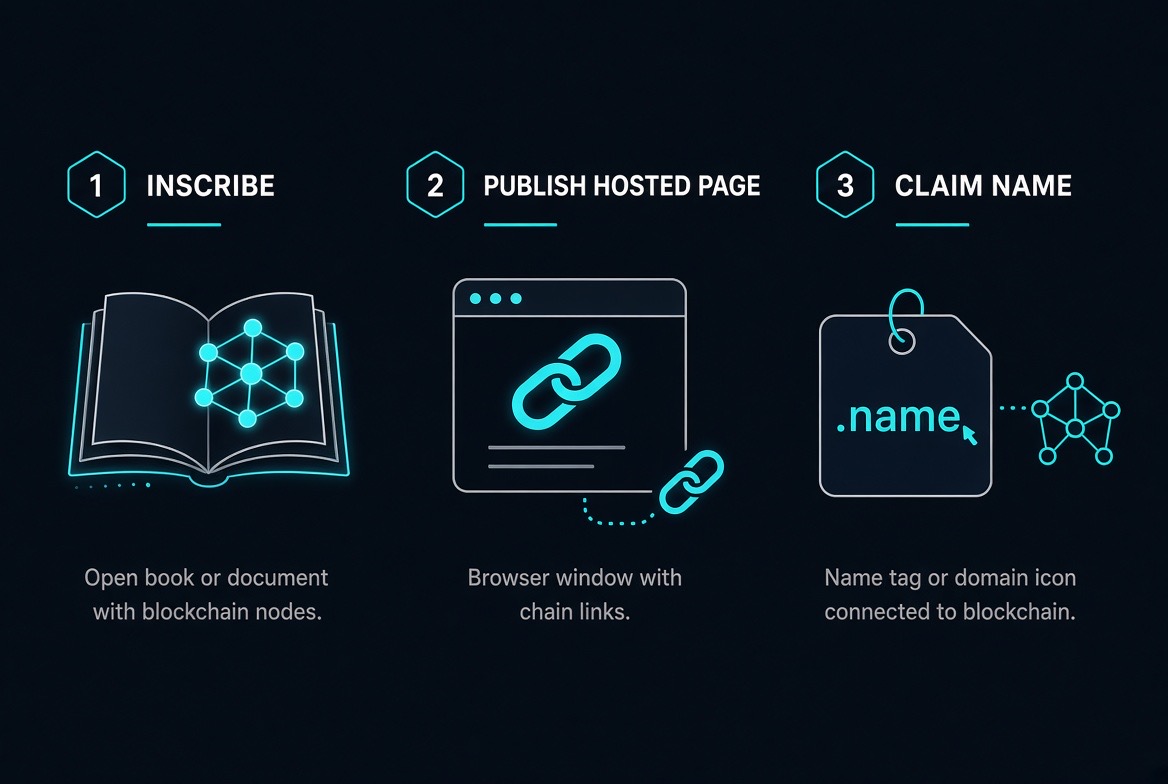
Register a human name that points to your address in the on-chain registry (first-claim-wins). Then publish a page for it in §11, and it resolves as a shareable #site=name gateway link. A 20,000-sat domain fee applies on mainnet. Names: lowercase letters, numbers and hyphens.
10b · Name Market BUY · SELL
Open the full marketplace → to browse every name for sale, search the registry and register free names. Buy and sell names for BSV. Every trade settles as one on-chain transaction: the buyer's payment, the seller's payout and the name hand-off happen together, or not at all. Nobody holds your coins or your name, and BSVKey never sees your key.
11 · Publish a hosted page CHOST
Paste a full HTML page — written on-chain (prefix CHOSTv1) in one transaction, served from your address; re-publish anytime to update. A 5,000-sat publish fee applies on mainnet.
- Load your wallet in §1.
- Claim a name in §10 from that wallet.
- Publish your HTML here and pick that name in the Site selector below.
- Visit it (or share bsvkey.com/#site=yourname).
❓ Frequently asked questions
Everything you need to know about using BSVKey.
Is BSVKey custodial? Does my key ever leave my browser?
What's the difference between Mainnet and Testnet?
What are the fees?
How do I get BSV to use it?
Why doesn't my transaction show up in History right away?
How do names, pages, and "Visit" connect? How do I point a name at my site?
Can one wallet host several different sites?
I published different pages for different names, but they all show the same page — why?
How do I tag my HTML file with its name/domain so the Site is picked automatically?
<!doctype html>
<html lang="en">
<head>
  <meta charset="utf-8">
  <meta name="viewport" content="width=device-width, initial-scale=1">
  <meta name="bsvkey:site" content="moonbase">   <!-- ← your claimed name -->
  <title>My Moon Base</title>
</head>
<body>
  … your page …
</body>
</html>
Set content to a name you've claimed in §10 from this wallet (lowercase letters, numbers, hyphens) — e.g. content="moonbase" makes the page resolve at bsvkey.com/#site=moonbase. If the tag names a name you don't own, BSVKey warns instead of publishing to the wrong place. Leave the tag out only if you want it to be your wallet's default page. Changing the tag later has no effect on already-published copies — re-publish to apply it.
Can I update a page after publishing it?
How big can a published page be? Is there a size limit?
Can I delete a published page?
Are names global? If I claim a name, can anyone else take it?
How does the Name Market work? Can a seller or BSVKey cheat me?
Can I transfer a name or page to another wallet?
I used a wallet and lost track of it — can I get back in?
Is the code open? How do I know it's not tampered with?
Is anything I do private?
A transaction failed with "txn-mempool-conflict" — what happened?
Why did my whole balance look "spent" after one small action? / How do I run two actions back-to-back?
12 · Contact BSVKey
Questions, feedback, or a bug report? Send us a message.
13 · Monetize Your API
Use the open-source x402 paywall toolkit to charge for your API calls in BSV, or use our hosted service.
Build your own paywall with the @bsvkey/x402-paywall toolkit. Zero dependencies, full control.
Let us run it for you. Non-custodial x402 gateway, Stripe billing, dashboard, uptime. Get started with Starter ($29/mo, 1 endpoint, 100k calls).
14 · Legal · Risk · Privacy
BSVKey is open and inspectable — it's a single HTML file that runs entirely in your browser. to read or verify the code, or run it offline.
Important disclaimers, risk acceptance & privacy notice
BSVKey is provided strictly on an "AS IS" and "AS AVAILABLE" basis. By loading a key or recovery phrase, generating a key, broadcasting any transaction, inscribing data, publishing a page, claiming a name, sweeping funds, or using any feature, you acknowledge and agree that:
1. You accept all risk.
You alone are responsible for every action — including loss of private keys, recovery phrases, or funds; failed or stuck transactions; incorrect addresses; permanent and public on-chain data; name collisions; and fees paid.2. No warranties of any kind.
The tool, its code, network connections, fee estimates, balance displays, transaction construction, broadcasting, history, message reading, CHOST publishing, and name registry are provided without any warranty, express or implied.3. No liability.
The creator(s) or operator(s) shall not be liable for any direct, indirect, incidental, special, consequential, or punitive damages, including loss of funds or data, arising from use of (or inability to use) this tool.4. Permanent & public.
All Mainnet writes are permanent, irreversible, and publicly visible on the BSV blockchain. There is no "undo." Testnet is for practice only.5. Client-side ≠ risk-free.
Keys are intended never to leave your browser tab and no server stores them. To reduce tampering and data-exfiltration risk, the page loads its cryptographic code from a self-hosted, integrity-checked (SRI) bundle rather than a third-party CDN, and a Content-Security-Policy restricts where the page may send data. These measures lower risk but do not guarantee security, and no web application can be made perfectly secure. You remain responsible for the security of your device, browser, extensions, network, and any files you save or load. Malware, phishing, a compromised device, or user error can still cause total, unrecoverable loss. Any key you back up or export is your responsibility to safeguard.6. Not financial, legal, or investment advice.
Cryptocurrency use involves substantial risk of loss. Only use funds you can afford to lose.7. Third-party dependencies.
The tool relies on public blockchain nodes/APIs and (where used) third-party swap services, which may fail, rate-limit, or return incorrect data without notice.8. Name claims & bulk operations.
Name registration is first-claim-wins. Availability is not guaranteed and is not pre-checked on bulk claims. Failed or colliding claims still incur fees.9. Compliance.
You are solely responsible for complying with all applicable laws, regulations, and tax obligations in your jurisdiction.Privacy notice
BSVKey operates 100% in your browser. Keys and recovery phrases are never transmitted to or stored on any server the operators control. No accounts, no personal information required. The tool makes network requests to public BSV nodes/APIs only to check balances, fetch history, broadcast signed transactions, or scan blocks — containing only the data needed (an address or TXID). The optional contact form transmits only the message you send (never include keys or sensitive data). No tracking pixels or third-party analytics identify individual users. As a security measure, the page serves its own integrity-checked cryptographic libraries and applies a Content-Security-Policy that limits its outbound connections to the BSV nodes/APIs it needs — reducing, though not eliminating, the risk of code tampering or key exfiltration. All on-chain activity is public and permanent by design.This is a protective template, not legal advice. Have a qualified attorney review and adapt it for your jurisdiction before relying on it.